HttpRequest Repository
This repository stores a windows application project (Desktop + .NET + C#). The public (instead of private) nature of this repository is to allow for a showcase of my development ability. It is not for software distribution. It is for exploring, reading, or learning from. To that extent, this repository will not include the future application’s full source code. It is, however, a starting point.
Main
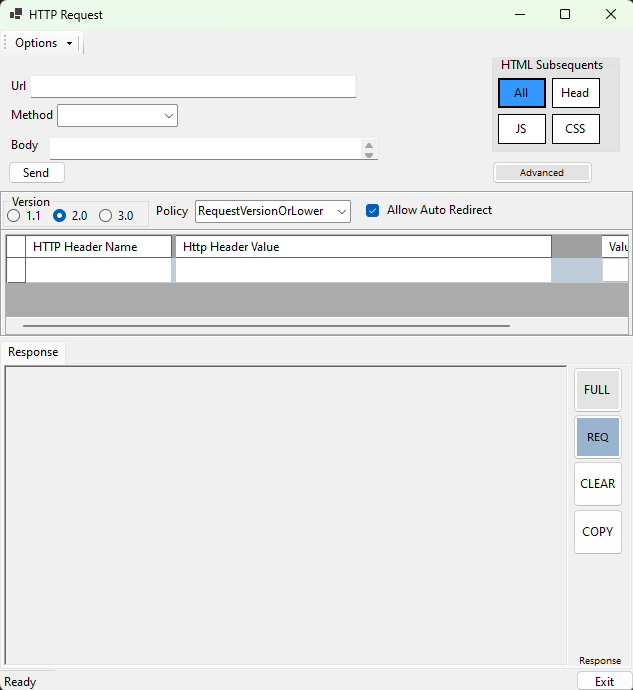
The application, called HTTP Request, provides a GUI means of sending customized HTTP requests and displaying the response data in useful ways. It provides a close inspection of request and response data in server-based web environments. For developers or security analysis, this tool promotes testing, inspecting and improving your website’s behavior.
License
The use of this software and/or its code is licensed to robhowe-A’s (account) owner [see below copyright].
Where do I begin?
Application installation is available in the Microsoft Store, here
Note: The application is only released in the U.S.A. via the Microsoft Store. Global markets are excluded for tax collection purposes. Full functionality is available for purchase (it’s priced at $11.49).
In the start menu, click “HTTP Request” to open the app
Complete the form and click “Send”
You’re started!
Issues: Please inform online any issues you experience either via this GitHub Issues (
https://github.com/robhowe-A/WinHttpRequest/issues) page or the application’s website at www.httprequest.app.
HTTP Request is a working tool, not designed as an attractive, refined display product. Styles are basic and default in many elements. Developed in Forms style, the app is useful with data in different sizes, large or small. Responsive (responsive applications expand or collapse or move elements to fit the window size) and dynamically adaptive view controls make it easy to read and sift data up to the 1920 x 1920 max dimensions.
How to use the application
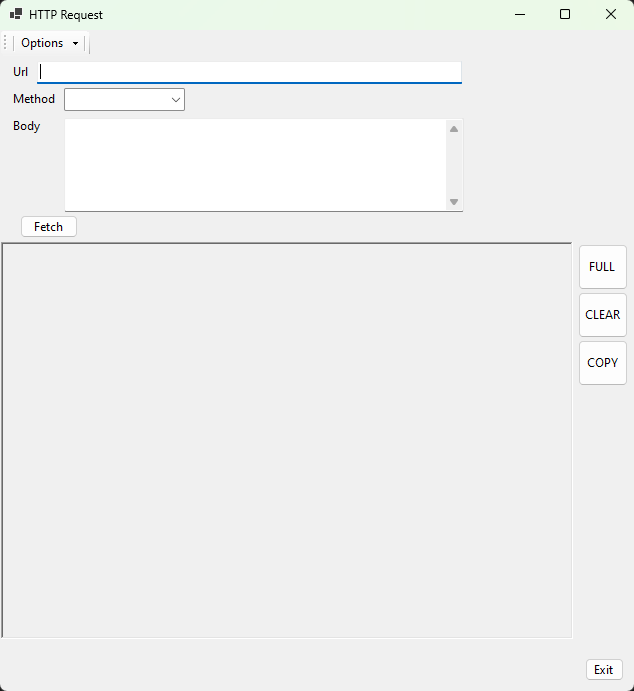
Enter any url and select a method for the request. The default is a GET request. Use the options or change the input parameters for your requests. Some functionality is for development purposes and may not function.
Privacy Policy
This app does not collect PII data or any records to identify a purchaser individual. Collected information is anonymous and to be used for software improvement.
Security
Part of web security with requests is the headers sent with the request. When POST requests are sent (along with the other requests adding a message body), a StringContent is made in the code for the request. This provides security and ensures the text added to the form is valid string characters to prevent malicious requests from being sent.
© 2024–2026, Robert H Developing. All rights reserved.